Skip to content
NewConnect Claude and ChatGPT to Orbiz

All-in-one business software · 10 tools

Ten business tools, one login, one flat price

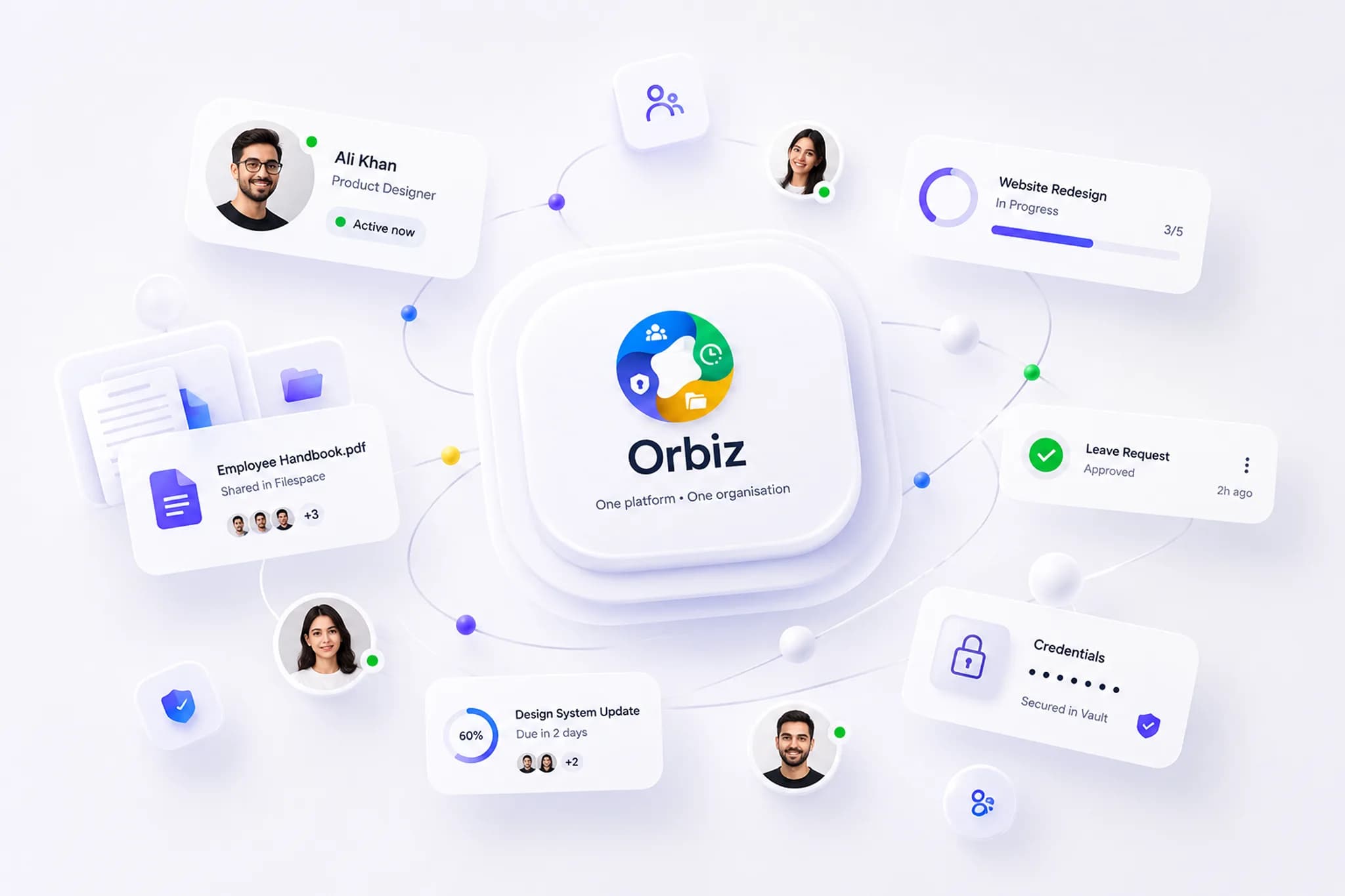
Connect Claude or ChatGPT and ask for the work: file the issue, log the hours, request the leave. It acts as you, with your permissions, across hiring, attendance, projects, files, payroll and more — 10 tools that already know who your people are, with unlimited members and a separate database for every organisation.

  • One login for every tool
  • Unlimited members, no per-seat pricing
  • Works with Claude and ChatGPT
The Orbiz tool launcher in a browser window: one login opening all 10 tools — HRMS, AMS, Filespace, Cadence, Huddl, Vault, Grabr, Trackline, Notely, Ledgr.

10 tools. One account. One bill.

What's inside

Ten tools that behave like one product

Each tool is complete on its own. Together they share your people, your permissions and your organisation's data — so nothing has to be entered twice.

Available

People & hiring

HRMS

Run hiring and people operations end to end — from a branded careers page to a signed employee record.

  • Job postings with a no-code careers page builder on your own subdomain
  • Candidate pipeline with configurable stages, interview scheduling and Google Meet links
  • Online assessments from a question bank, structured feedback and optional AI screening
  • Employee records, departments and experience levels
  • Document requests, annotations and an org-wide document library
  • Onboarding, offboarding and probation checklists you design in a process builder
  • An asset register: assign, return and retire company equipment
Explore HRMS
Available

Time & attendance

AMS

See who is working on what, today — clock-ins, breaks, leave balances and timesheets in one place.

  • Clock in and out with break types and idle detection
  • Personal and team timesheets with project-level time entries
  • Leave requests, approvals and an entitlement per leave type
  • A holiday calendar, attendance reports and background exports
  • Punches imported from biometric devices, each PIN mapped to a member once
  • Optional activity screenshots, with a list of who is checked in but not being captured
Explore AMS
Available

Files & storage

Filespace

A shared drive that belongs to your organisation, with quotas you control instead of licences you buy.

  • Folders, sharing with named members and starred items
  • A public link for a folder when someone outside needs it — off by default
  • Recent activity and a recoverable trash
  • Per-member storage quotas managed by admins
  • Every file in your organisation’s own storage space, never mixed with another customer’s
Explore Filespace
Available

Project tracking

Cadence

Plan and ship work on boards and sprints, without paying per seat for a second tool.

  • Projects, boards and configurable statuses
  • Sprints, issues, sub-tasks and custom fields
  • Comments, mentions and activity history
  • Team workload and delivery reports
Explore Cadence
Available

Team chat

Huddl

Channels, direct messages and threads for your organisation — with external guests, file sharing and search — behind the same login as every other tool.

  • Public and private channels, group and one-to-one direct messages
  • Threads, reactions, pins, saved messages and mentions that notify
  • External guests invited by email, limited to the huddls and channels you choose
  • Drag-and-drop files with previews, and search across every conversation
Explore Huddl
Available

Secrets & credentials

Vault

Share credentials with the people who need them, encrypted before they ever leave the browser.

  • Client-side encryption — the server stores ciphertext only
  • Logins, cards, identities and secure notes in collections and folders
  • Share individual items with named teammates
  • Sends: one field sealed into a link that expires, or burns after one read
  • Escrow-based recovery so a forgotten passphrase is not a lost vault
  • Full audit log of every read and change
Explore Vault
Available

Screen recording & screenshots

Grabr

Record your screen with webcam and mic, capture and annotate screenshots, share a link instantly and see who watched.

  • Screen, webcam and microphone recording in the browser
  • Screenshot capture with annotation tools
  • Instant share links with an optional password and expiry
  • View analytics — see who watched and when
Explore Grabr
Available

Delivery portfolio

Trackline

Every client and internal project in one place — milestones, hours, cost, quality and who is free — fed automatically by attendance and the boards.

  • Internal and client projects with fixed or retainer billing
  • Milestones, sprints and retainer periods with schedule and effort health
  • Hours and cost rolled up from attendance; bugs and tickets from the boards
  • Estimation accuracy, staffing suggestions and per-employee views
Explore Trackline
Available

Notes & reminders

Notely

Notes, checklists and reminders — personal and shared — that live next to the people and projects they are about.

  • Quick text notes and checklists you tick off together
  • Colours, labels, pin and archive to keep the wall tidy
  • Shared notes that update for every teammate in real time
  • Time-based reminders that surface right inside the app
Explore Notely
Available

Payroll & accounts

Ledgr

Payroll from timesheet to payslip, with your own rate rules, tax slabs and statutory schemes — and reimbursements, loans and final settlements in the same ledger.

  • Monthly timesheets pulled from attendance and approved before any payment moves
  • Salary sheets from configurable structures, rate rules and country tax presets
  • Payslips, reimbursement claims, loans and statutory contributions in one place
  • Final settlements and a tax-compliance pack for the year end
Explore Ledgr

Orbiz MCP — every tool, from your AI assistant

Connect Claude, ChatGPT or Claude Code and ask for the work in plain words. It acts as you, with your permissions only.

See how it works
tools that behave like one product
10
actions your AI assistant can take, as you
81
dedicated database per organisation
1
per-seat charges, ever
0

Built for your industry

The same platform, in the words of your industry

Each page shows which tools matter most for that kind of organisation, the problems they remove, and the questions those teams ask.

See all industries

From the blog

Guides for teams that run on one platform

Attendance, time tracking, hiring, delivery and security — written from how the tools actually work.

  • The Ledgr mark beside the words "Admin controls for AI connectors".
    AI assistantsSecurityGuides

    AI connector admin controls: a checklist for admins

    Who may add an AI connector, what it may do, how to see what it did and stop it: the admin controls to set in Claude, ChatGPT and your business software.

    Zain Khalid Malik · · 6 min read
  • The Cadence mark beside the words "Read-only or read-write?".
    AI assistantsSecurityGuides

    MCP read-only vs write access: what to let AI do

    When you connect Claude or ChatGPT to work software, reading and changing are separate choices. Where read-only is enough, when to allow writes, and the risks.

    Zain Khalid Malik · · 5 min read
  • The HRMS mark beside the words "Roles vs permissions".
    SecurityPlatformGuides

    Role-based access control for a small business

    Roles vs permissions in plain words: how a small business gives a ward manager or a team lead exactly the access they need, and the mistakes that leak data.

    Zain Khalid Malik · · 5 min read

Read the blog

One platform

The part you cannot buy as 10 subscriptions

Separate tools mean separate user lists, separate permissions and separate invoices. Orbiz gives every tool the same account, the same roles and the same isolation guarantees.

Works with your AI assistant
Connect Claude, ChatGPT or Claude Code through Orbiz MCP. The assistant files issues, logs time and requests leave as you — with your permissions and nothing more. Available today, on every plan.
One login, every tool
Sign in once and move between every tool — hiring, attendance, files, projects, the vault, recording, delivery, notes and payroll — without another password prompt.
A database per organisation
Your data lives in its own database, not a shared table with a tenant column. Isolation is structural, not a filter someone can forget.
Roles you define
Build custom roles from granular read and write permissions, per tool, and hand them out per member.
Your own subdomain
Every organisation gets its own address, so links you share always land in the right workspace.
Notifications that respect people
In-app and email notifications with per-organisation and per-person preferences, so nobody drowns.

Getting started

Live in days, not a quarter

No procurement marathon and no implementation partner. Four steps from first email to your team working in the product.

  1. 1

    Tell us about your team

    Send us your headcount and which tools you need. We come back with your price band and a working organisation to try, usually within one business day.

  2. 2

    We set up your organisation

    You get your own subdomain, your own database and a first admin account. Nothing is shared with another customer.

  3. 3

    Invite your team, define roles

    Compose roles from the permissions each tool exposes, then invite people by email. They land in exactly the tools their role allows.

  4. 4

    Turn tools on, connect your assistant

    Start with hiring or attendance and enable the rest later, with the same login, roles and price. Any member can then connect Claude or ChatGPT from Settings and ask for the work.

Security

Built so that a mistake cannot leak your data

Business software holds the most sensitive records a company has: salaries, contracts, credentials. The architecture treats that as the starting requirement rather than a hardening pass at the end. The full picture — isolation, encryption, access, audit, data residency, export and deletion — is on the security page.

Isolation by design
Each organisation gets its own database. There is no cross-tenant query path to get wrong, because there is no shared table to filter.
One door in
Every request goes through a single authenticated API gateway. Nothing behind it is reachable from a browser.
Secrets we cannot read
Vault items are encrypted in your browser before they are stored. We hold ciphertext, not credentials.
Answers for your auditor
Permission changes, vault access and record edits are recorded — and so is each action an AI assistant takes for a member — so "who changed this" has an answer.

FAQ

Questions people ask before they switch

The questions people ask before they get in touch. If yours is not here, the contact form reaches a person, not a queue.

What is Orbiz?

Orbiz is all-in-one business software for small and mid-sized teams. One account and one login give your organisation 10 tools — HRMS, AMS, Filespace, Cadence, Huddl, Vault, Grabr, Trackline, Notely and Ledgr — covering hiring and HR, time and attendance, files, project tracking, shared credentials, screen recording, delivery profitability, notes and payroll. They share one set of people, one set of roles and one database per organisation, instead of 10 separate subscriptions that do not talk to each other. It also works with AI assistants: connect Claude or ChatGPT and they do the work in Orbiz as you, with your permissions.

Does Orbiz work with Claude and ChatGPT?

Yes, today and on every plan. Orbiz MCP connects Claude, ChatGPT and Claude Code to your organisation, and the assistant acts as one member with that member’s permissions. It can take 81 actions across nine of the 10 tools — file a Cadence issue, log Trackline hours, request leave in AMS, add a candidate in HRMS — and it has no access to the Vault. Each member approves what it may do on an Orbiz consent page, every action appears in an activity log, and an admin can switch AI assistants off for the whole organisation.

Is my organisation’s data separated from other customers?

Yes. Every organisation gets its own MongoDB database rather than a shared table filtered by a tenant column. A query cannot span two organisations because the databases are separate, and the tenant identity is resolved by the API gateway from your session, never from anything a browser sends.

Can I use only one of the tools?

Yes. Tool access is granted per organisation, so you can start with HRMS or attendance alone and switch the others on later. Members only see the tools your organisation has enabled and their role permits.

How much does Orbiz cost?

Orbiz is priced per organisation, not per seat: one flat price in US dollars for your whole company that covers all 10 tools and unlimited members. On annual billing the Team plan is $99 a month for up to 10 people, $199 for up to 25 people, $349 for up to 50 people and $599 for up to 100 people; monthly billing costs 20% more. Over 100 people, or with migration help or dedicated hosting, the Enterprise plan is quoted. There is no card checkout: send us your team size through the contact form and a person replies within one business day.

See every question, grouped by topic

Ready to stop paying 10 vendors for one workflow?

Tell us your team size and which tools you need. We set up a working organisation for you to try, with Claude or ChatGPT connected if you want — usually within one business day.